
World Templates
World Templates are the entries seen in the Create tab on the Play Game screen. These are defined through namespace:world_templates.json in a resource pack.
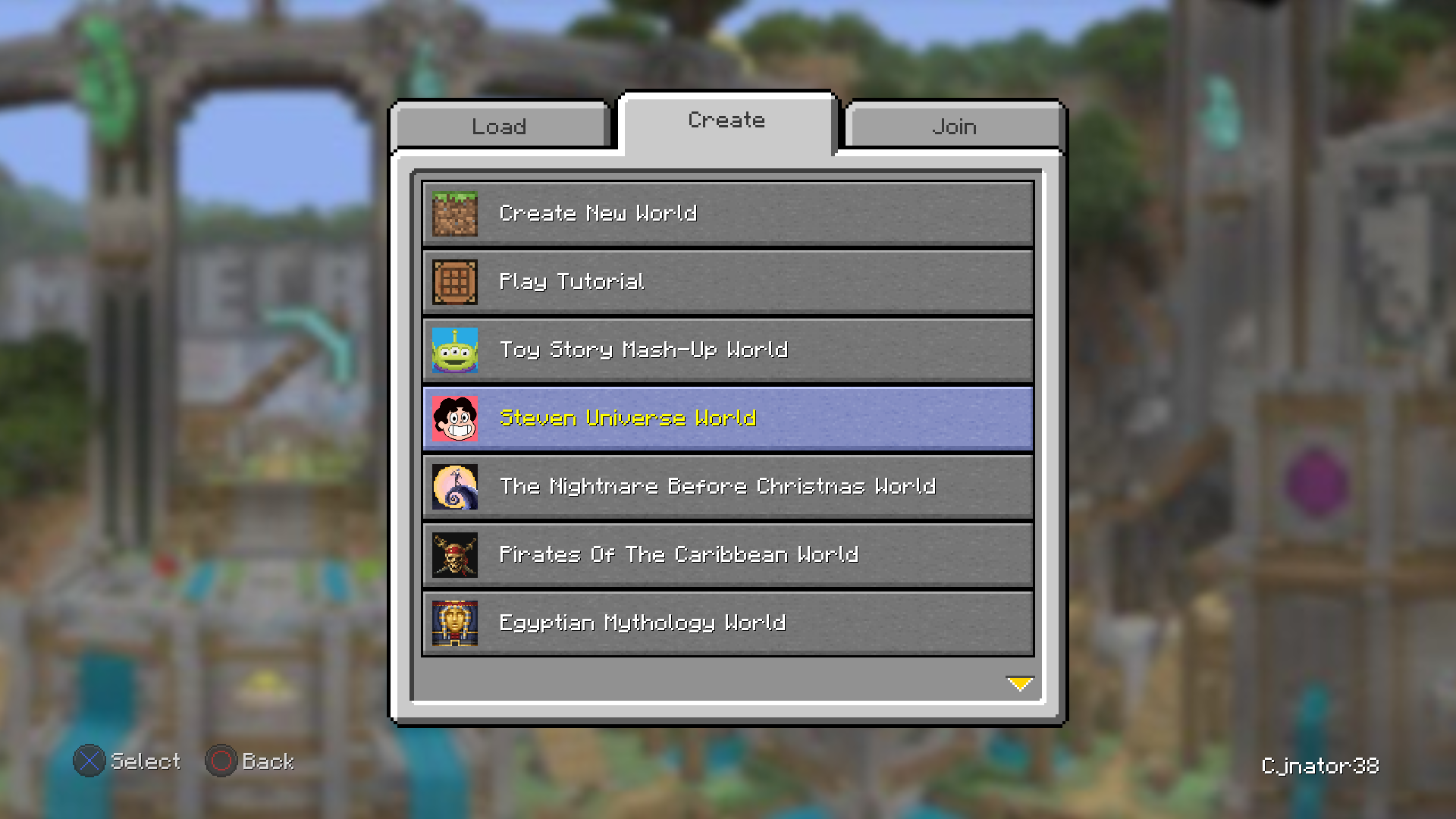 World Templates provided by the Legacy Worlds resource pack
Components
[
  {
    "buttonMessage": {"text": "My Cool World!"},
    "icon": "cool_world:icon",
    "templateLocation": "world_templates/cool_world.mcsave",
    "isGamePath": true,
    "folderName": "My Cool World!",
    "downloadURI": "https://host-my-world.net/cool-guy/cool-world/cool-world.mcsave",
    "preDownload": false,
    "directJoin": false,
    "isLocked": false,
    "resourceAlbum": "cool_texture_pack"
  }
]
Components which can be defined by a World Template include:
- Display name (
buttonMessage) - Icon (
icon) - Location of the template's save file (
templateLocation) - Whether said location is a game path (
isGamePath) - The world's folder name (
folderName) - A remote download URI (
buttonMessage) - If the world should be downloaded on resource load (
preDownload) - If the Load Save screen should be skipped (
directJoin) - If Resource Albums should be locked (
isLocked) - A defined Resource Album (
resourceAlbum)
buttonMessage
A title can be given to a template using buttonMessage, which accepts any type of text component (typically a text string with text or a translation key with translate).
icon
An icon can be given to a template using icon. This field will reference a sprite located within namespace:textures/gui/sprites
templateLocation
The save file that would be used for the World Template can be referenced using templateLocation. This would typically be stored in a .zip or .mcsave file, both of which are interchangeable file formats (as in, you can change the file extension and it would function the exact same)
isGamePath
Determining whether or not templateLocation is a game path can be done with isGamePath. This is done with a boolean:
trueif the path is located under the.minecraftfolderfalseif the path is a resource location
folderName
The name of the world's folder when saved to the saves folder is defined using folderName. This can simply be a plaintext string.
downloadURI
A remove download URI can be defined using downloadURI. This would simply be a direct link to the save file from a remote location where it is hosted.
preDownload
Whether or not a World Template save is downloaded on resource load can be controlled with preDownload, set with a boolean.
directJoin
Whether or not a World Template skips the Load Save screen (similarly to the Tutorial World) can be defined with directJoin, set with a boolean.
isLocked
Whether or not the Resource Album widget in the Load Save screen is locked when creating a world from a World Template can be defined with isLocked, set with a boolean.
resourceAlbum
The Resource Album that the World Template should be set to can be defined with resourceAlbum. This is done with the Resource Album's defined id (found within the resource_album/album.json)